


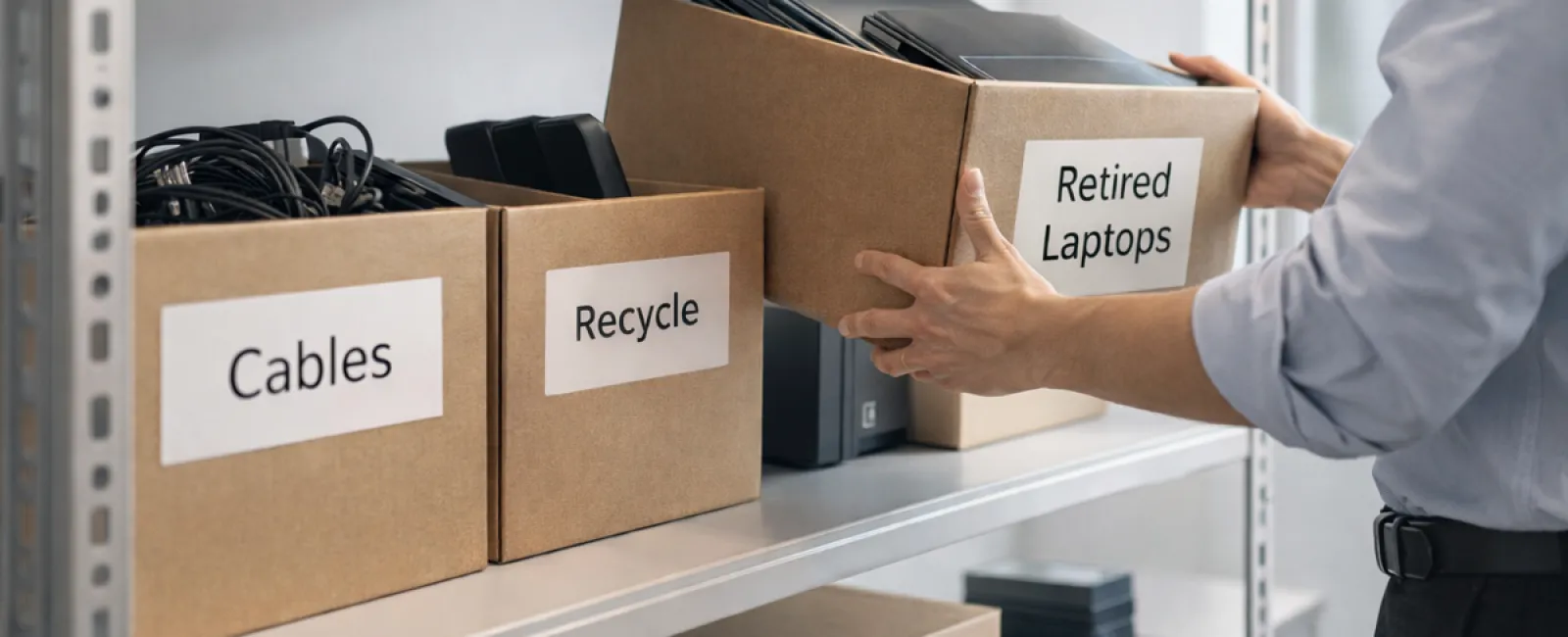
When it comes to spring cleaning, most businesses think about tidying up closets. But the real clutter often hides elsewhere—not just on shelves.
It might be on server racks, tucked away in storage rooms or back offices, or piled under labels like "we'll get to this later."
Old laptops. Outdated printers. Backup drives from several upgrades ago. Boxes of cables kept "just in case."
Every company accumulates this digital debris.
The real question: do you have a strategic plan for what comes next?
Technology Follows a Lifecycle — Beyond the Purchase Date
Purchasing new equipment usually serves a clear purpose: it's faster, more secure, more powerful, and supports growth.
Most companies carefully plan technology acquisitions, but few prepare for retirement and disposal.
Retiring tech often happens quietly—devices are replaced, set aside, then eventually cleared out.
This is common practice.
But treating technology retirement with the same care as purchasing is rare yet essential.
Old devices still hold value, recyclable parts, and potentially sensitive data. Left unmanaged, they clutter your space and slow operations.
Spring offers the perfect opportunity to evaluate: what's still useful, and what's just taking up room?
A Simple 4-Step Approach to Tech Cleanup
Ready to move beyond vague intentions? Follow our straightforward four-step method.
Step 1: Take Inventory
Identify exactly what needs retiring—laptops, phones, printers, network gear, external drives? A thorough walkthrough often uncovers more than expected.
Step 2: Choose the Right Path
Devices usually fit one of three paths: reuse (internally or donated), recycle (through certified e-waste programs), or destroy (for sensitive data). Intentional decisions prevent hardware from languishing indefinitely.
Step 3: Prepare Devices Correctly
Discipline here is crucial.
If reusing or donating, remove devices from management systems, revoke access, and perform thorough data wiping—not just factory resets. Deleting files or quick formats don't erase data; they merely hide it.
Research by security firm Blancco found 42% of hard drives resold on eBay still held sensitive files despite seller claims. Only certified data erasure tools overwrite all sectors and provide verified reports.
For recycling, rely on certified e-waste providers instead of dumpsters. Note that popular programs like Best Buy's accept only household items, not business equipment.
For commercial gear, use certified IT asset disposition (ITAD) services or business-grade e-waste recyclers with e-Stewards or R2 certifications (listed at e-stewards.org and sustainableelectronics.org). Your IT partner can often assist.
When destroying equipment, opt for certified data wiping or physical destruction methods like shredding or degaussing. Keep records: serial numbers, destruction method, dates, and responsible personnel.
This ensures proper closure and security—not paranoia.
Step 4: Document and Move Forward
Once devices leave your premises, track their destination, handling, and confirm access removal. Documentation prevents lingering questions.
Devices Easily Overlooked
Laptops get attention; other devices often do not.
Phones and tablets may still hold email, contacts, or authentication apps. Factory resets handle much, but certified mobile wipes are safer for business devices. Major manufacturers offer trade-in programs—even for older models—to get credit toward replacements.
Modern printers and copiers often contain hard drives storing every print, scan, copy, or fax. Before returning leased copiers, get written confirmation that hard drives will be wiped or removed.
Batteries are classified as hazardous waste by the EPA, and many states prohibit tossing rechargeable batteries in regular trash. Remove batteries when possible, insulate terminals to avoid shorts, and take them to certified drop-off points. Call2Recycle.org offers location maps, and stores like Staples, Home Depot, and Lowe's accept rechargeable batteries at many locations.
External drives and retired servers often stay tucked away longer than planned. Treat them with the same retirement process as other equipment.
Why Responsible Recycling Matters
Earth Day alerts us annually to think about the planet—with good reason.
Over 62 million metric tons of e-waste are generated worldwide annually, yet only about 22% is properly recycled. Batteries, monitors, and circuit boards need correct disposal channels. Certified e-waste options are available in most communities for responsible handling.
By retiring technology the right way, you achieve operational efficiency, environmental responsibility, and strategic advantage. You don't have to sacrifice security for sustainability—you can have both.
This commitment is also a subtle but powerful story to share on your company's social media—customers appreciate businesses that handle tech thoughtfully without a fuss.
The Bigger Picture
Spring cleaning is about creating room—not just disposing of items.
Clearing outdated hardware is just one part. As you evaluate equipment, ask yourself if your technology truly supports how your business operates today.
Hardware cycles through, but software, systems, automation, and process design are what truly boost productivity and profits.
Properly retiring old devices is smart maintenance; aligning your remaining technology with business goals propels growth.
How We Help
If you already have a smooth process for retiring tech, that's ideal—it should be simple and routine.
As you replace old hardware responsibly, consider taking a step back to review your entire tech landscape. Are your systems integrated efficiently? Are your tools boosting growth or just maintaining status quo?
We're here to have an honest, no-pressure conversation about how your technology stack, systems, and processes can improve your business productivity and profit.
Click here or give us a call at (210) 582-5814 to schedule your free Discovery Call.
If this message inspires you, please share it with other business owners.
Spring cleaning goes beyond closets. It includes the technology that powers your business.


